
LIVE INSTRUCTOR-LED ONLINE TRAINING
Primavera P6 Online Training
Master Primavera P6 scheduling, planning, resource management, and project controls with live instructor-led Primavera P6 online training.
Develop practical skills through guided exercises and real-world scheduling scenarios. Learn to create a Work Breakdown Structure (WBS), define activity relationships, assign resources, establish baselines, update project progress, analyse critical paths, and prepare project reports.
In practice, apply these skills to planning and controlling projects across construction, engineering, oil and gas, manufacturing, and infrastructure. In addition, choose one-to-one or group training, with weekday and weekend batch options.
30+ Hours
Live Instructor-Led Training
Two Formats
One-to-one & group classes
Flexible Batches
Weekday & weekend Options
Hands-On Practice
Exercises Beyond Live Sessions.
Learn from an Experienced Project Management Professional
PMP Certified | 15+ Years of Experience
WHY CHOOSE US
Why Choose Kleios Technologies for Primavera P6 Online Training?
Choose Primavera P6 training that combines live instructor-led learning, practical scheduling exercises and project management concepts. Learn from a PMP-certified trainer with 15+ years of project management experience. As a result, develop skills you can apply to project planning, monitoring and control.
Learn from a PMP-Certified Trainer
Learn from a PMP-certified trainer with 15+ years of project management experience. In addition, the training connects Primavera P6 features with practical planning and scheduling concepts. As a result, you can better understand how project teams use schedules to monitor progress.
- PMP Certified
- 15+ Years of Experience
- Practical Project Management Perspective
Live, Interactive Online Training
Attend live online classes where you can follow demonstrations, practise Primavera P6 workflows, and ask questions during the session. At the same time, you can clarify doubts and understand each scheduling process as the instructor works through the examples.
- Live instructor-led sessions
- Interactive demonstrations & doubt clarification
- One-to-one and group training options
Hands-On Primavera P6 Practice
To apply what you learn, develop your skills by working through practical scheduling activities. For example, you will learn how to structure a project, create activities and relationships, develop a baseline, update progress, and review schedule performance.
- WBS and activity planning
- Resource assignment and baseline development
- Schedule updates and critical path analysis
Learn Primavera P6 with Concepts
Understand both the software and the principles behind effective project scheduling. Moreover, learn how project teams use schedule data to monitor performance and prepare reports. Consequently, these skills help you connect Primavera P6 operations with broader project controls practices.
- Project planning and scheduling
- Progress monitoring and schedule control
- Project reporting and performance analysis
WHAT YOU’LL GAIN
What You'll Learn in Primavera P6 Online Training
Build practical project planning and scheduling skills with Oracle Primavera P6. Through live instructor-led sessions and guided exercises, you will learn to develop schedules, manage resources, monitor progress and prepare project reports. In addition, you will explore project controls concepts and real-world scheduling scenarios.
Project Planning Fundamentals
- Work Breakdown Structure (WBS)
- Activities, milestones and calendars
- WBS codes and schedule organisation
Learn how to structure projects using WBS, activities and milestones. Then, configure calendars and project codes to organise schedule information effectively.
Project Scheduling & Baselines
- Activity relationships and dependencies
- Schedule development and critical path
- Baseline creation and management
Create logical activity relationships and develop project schedules. Next, identify the critical path and establish baselines to compare planned and actual performance.
Resource & Cost Management
- Resource assignment and levelling
- Resource utilisation and allocation
- Project costs and budget monitoring
Assign resources and review their utilisation across project activities. In addition, examine how resource availability and costs can affect schedule performance.
Project Monitoring & Tracking
- Progress updates and remaining duration
- Planned versus actual performance
- Critical activity monitoring
Update schedules to reflect actual progress and remaining work. Then, compare current performance against the baseline to identify delays and emerging schedule issues.
Project Controls & Analysis
- Schedule variance and performance analysis
- Earned Value Management (EVM) concepts
- Schedule delays and risk identification
Analyse schedule variances and explore earned value concepts. As a result, you can interpret project performance data and identify issues that require further investigation.
Reporting & Project Dashboards
- Project layouts, filters and grouping
- Schedule reports and data presentation
- Exporting and sharing project information
Organise schedule information using layouts, filters and grouping options. Finally, prepare project reports that help stakeholders review progress, understand performance and make informed decisions.
Talk to Our Training Advisor
Get batch details, course syllabus, fees and career guidance.
PRIMAVERA P6 TRAINING GUIDE
Primavera P6 Training: What You Need to Know
Explore how Oracle Primavera P6 supports project planning, scheduling and project controls. Learn what the software does, who can benefit from a Primavera P6 course, and which skills you can develop through online training. In addition, discover how these skills apply to project-based careers.
01. What is Oracle Primavera P6?
Understanding Primavera P6 Software
Oracle Primavera P6 is project planning and scheduling software. Project teams use it to develop schedules, organise activities and monitor progress. It is particularly useful for projects with complex activities and dependencies.
With Primavera P6, you can create a Work Breakdown Structure (WBS) and define activity relationships. You can also assign resources, establish baselines and identify the critical path. In addition, the software supports progress updates, schedule analysis and project reporting.
Primavera P6 is widely used in construction, engineering, infrastructure, oil and gas, and other project-driven industries. Therefore, learning the software can help you understand how project teams manage schedules throughout the project lifecycle.
Key Highlights
- Develop project schedules and WBS structures
- Define activity relationships and critical paths
- Assign resources and establish baselines
- Monitor progress and prepare project reports
02. Why Is Primavera P6 Important for Project Scheduling?
Primavera P6 for Modern Projects
Large projects often involve multiple teams, contractors and interconnected activities. Therefore, project professionals need structured methods to plan work and monitor schedule performance.
Primavera P6 helps teams organise project activities and understand their dependencies. For example, planners can identify critical activities, review resource requirements and compare actual progress against the baseline.
As a result, teams can identify schedule deviations and investigate potential delays. They can also use schedule information to support project coordination and control decisions. These capabilities make Primavera P6 useful for complex construction, engineering and infrastructure projects.
Key Highlights
- Organise complex project schedules
- Analyse activity dependencies and critical paths
- Compare planned and actual progress
- Review resource requirements and schedule performance
03. What Skills Will You Learn in Primavera P6 Online Training?
Skills Covered in the Primavera P6 Course
Our Primavera P6 online training combines live instructor-led sessions with guided exercises. You will learn how to develop schedules and manage essential project planning activities.
First, you will learn project setup, WBS development and activity planning. Next, you will define activity relationships, assign resources and establish baselines. You will also practise updating progress and analysing schedule performance.
In addition, the course covers project controls concepts and reporting techniques. These skills help you understand how Primavera P6 supports project monitoring and scheduling decisions.
Key Highlights
- Create projects, EPS, OBS and WBS structures
- Develop schedules and manage baselines
- Assign resources and update project progress
- Analyse schedule performance and earned value concepts
- Prepare project layouts and reports
04. Who Should Take a Primavera P6 Course?
Who Can Benefit from Primavera P6 Training?
A Primavera P6 course can benefit beginners and experienced professionals who want to develop project planning and scheduling skills. It can also help professionals strengthen their understanding of project controls.
For example, Planning Engineers and Project Engineers can use Primavera P6 to develop and update schedules. Project Managers and Project Controls professionals can use it to review progress and understand schedule performance.
The training starts with the fundamentals and progresses to practical scheduling tasks. Therefore, prior experience with Primavera P6 is not required. However, basic project management knowledge can help you understand the concepts more quickly.
Key Highlights
- Civil, Mechanical and Electrical Engineers
- Planning Engineers and Project Coordinators
- Project Managers and Project Controls Professionals
- Construction, EPC and Oil and Gas Professionals
- Students and career starters interested in project planning
05. What Career Opportunities Can Primavera P6 Training Support?
Career Paths Using Primavera P6 Skills
Primavera P6 skills are relevant to roles that involve project planning, scheduling and project controls. However, career opportunities depend on your experience, qualifications and wider technical skills.
For example, professionals may use Primavera P6 in roles such as Planning Engineer, Project Planner, Project Scheduler and Project Controls Engineer. Experienced professionals may also apply these skills in planning management and project management roles.
Furthermore, Primavera P6 is used across construction, engineering, infrastructure, energy and oil and gas projects. Developing practical scheduling skills can therefore support your preparation for relevant opportunities in India and international markets.
Key Highlights
- Planning Engineer
- Project Planner or Project Scheduler
- Project Controls Engineer
- Senior Planning Engineer or Planning Manager
- Project Manager, where experience and qualifications are appropriate
COURSE OUTLINE
Primavera P6 Training Syllabus
Our Primavera P6 training syllabus covers project planning, scheduling, resource management and project controls. Through live instructor-led sessions and practical exercises, you will learn how to use Oracle Primavera P6 in project environments.
Comprehensive Curriculum
Live Instructor-Led Training
Practical Scheduling Exercises
Project Controls Concepts
Our Primavera P6 Course Topics You'll Master
The course follows a structured project planning and scheduling workflow. First, you will learn the software fundamentals and project setup. Next, you will develop schedules, manage resources and establish baselines. Finally, you will practise progress monitoring, performance analysis and reporting.
Live Primavera P6 Online Training Batches
Choose a training format that fits your schedule. Our live Primavera P6 classes combine instructor-led sessions with practical scheduling exercises for engineers, planners, project managers and students.
Live Batch Schedule
Weekday Batch
Mon, Wed & Friday
7:00 PM – 9:00 PM
Duration: 5 Weeks
Live online sessions for working professionals who prefer evening classes.
Weekend Batch
Saturday & Sunday
10:00 AM – 1:00 PM
Duration: 5 Weekends
Live online sessions for learners who prefer weekend training.
Need a different schedule?
Contact us to discuss one-to-one training, group classes, corporate programmes or upcoming batch dates.
✓ Instant PDF Download • No Registration Required
Need Help Choosing a Batch?
Have questions about the curriculum, training format or upcoming sessions? Contact Kleios Technologies for guidance before enrolling.
🕒 Available Mon – Sun | 9:00 AM – 6:00 PM (IST)
COURSE HIGHLIGHTS
Primavera P6 Course Highlights
Our Primavera P6 online training combines live instruction with practical scheduling exercises. Learn how to plan projects, develop schedules and monitor performance using Oracle Primavera P6. In addition, explore project controls concepts that support effective planning and decision-making.
Live Instructor-Led Learning
Learn through live online sessions and software demonstrations. Ask questions as the trainer explains Primavera P6 features and scheduling workflows.
Practical Scheduling Exercises
Apply your knowledge through guided exercises. Practise creating activities, defining relationships, establishing baselines and updating project progress.
Real-World Project Scenarios
Explore how Primavera P6 supports project planning and scheduling. For example, examine its applications in construction, engineering, infrastructure and other project environments.
Structured Learning Resources
Use course materials, sample schedules and reference documents to reinforce your learning. These resources also help you review concepts between sessions.
Interactive Doubt Clarification
Clarify concepts as you progress through the course. In addition, ask questions about scheduling workflows and practical exercises during instructor-led sessions.
One-to-One and Group Training
Choose between individual instruction and group classes. Both formats provide live online learning, while the delivery experience differs according to the selected format.
Build Your Career with Industry-Ready Primavera P6 Skills
Develop practical knowledge of Primavera P6, project scheduling, and project controls through live online training. Ultimately, the goal is to help you apply these skills with greater confidence in real project environments.
LEARN FROM ANYWHERE IN INDIA
Primavera P6 Online Training – Across India
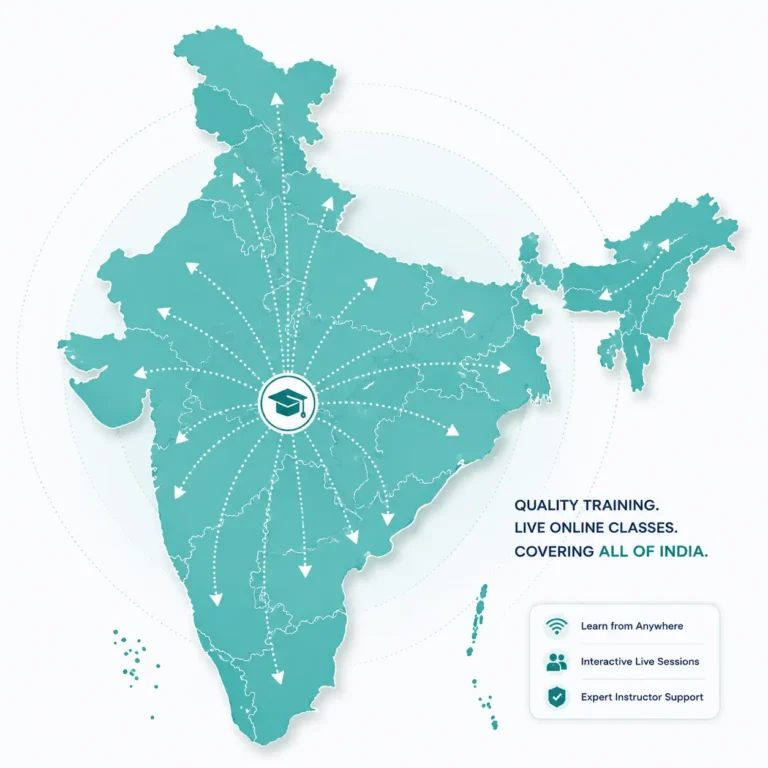
Join live Primavera P6 online training from anywhere in India. Attend instructor-led classes from your home or office without travelling to a training centre. Whether you live in a major city or a smaller town, you can access the same structured curriculum.
Live Online Classes
Learn through live instructor-led sessions and software demonstrations. Ask questions and clarify concepts as you progress through the course.
Flexible Training Formats
Choose one-to-one or group training based on your learning preferences. Weekday and weekend batches offer additional scheduling options.
Nationwide Accessibility
Attend Primavera P6 classes from Chennai, Bengaluru, Hyderabad, Mumbai, Delhi, Pune or other locations across India.
Consistent Learning Experience
Access the same structured curriculum, practical exercises, and instructor-led learning approach regardless of where you join the training.
Dedicated Support After Completion
Receive guidance during the course and support with learning questions, practical exercises, and course-related doubts as you continue developing your skills.
Professional Online Training Without Location Barriers
We welcome professionals, engineers, planners, and students from every state and city through our live instructor-led online classes. With flexible weekday and weekend batches, practical project-based learning, and continuous trainer support, you receive the same high-quality learning experience wherever you are.
We Welcome Learners From Across India
South India
- Primavera P6 Online Training in Chennai
- Primavera P6 Online Training in Bangalore
- Primavera P6 Online Training in Hyderabad
- Primavera P6 Online Training in Cochin
- Primavera P6 Online Training in Trivandrum
- Primavera P6 Online Training in Coimbatore
- Primavera P6 Online Training in Madurai
Rest of Indian Cities
- Primavera P6 Online Training in Mumbai
- Primavera P6 Online Training in Delhi
- Primavera P6 Online Training in Kolkata
- Primavera P6 Online Training in Pune
- Primavera P6 Online Training in Ahmedabad
- Primavera P6 Online Training in Visakhapatnam
- Primavera P6 Online Training in Bhopal
EXPLORE MORE
Continue Your Learning Journey
Expand your professional knowledge through carefully recommended learning opportunities. These related courses are designed to strengthen your skills, broaden your expertise, and support your long-term career development.
Related Courses
Build strong project management fundamentals through learning.
Project Management Foundations
Build strong project management knowledge for career success.
Project Scope Management
Understand project scope planning, control effectively throughout delivery.
Project Planning & scheduling
Learn planning fundamentals before mastering Primavera P6 scheduling.
Project Resource Planning
Optimize resources for efficient project execution through planning.
Recommended Next Steps
Advance your expertise with software and professional certifications.
Microsoft Project Online Training
Master Microsoft Project for efficient planning and collaboration.
Power BI for Project Management
Transform project data into insightful Power BI dashboards.
PMP Certification Training
Prepare confidently for PMP certification with expert guidance.
PMI-SP Certification Training
Advance scheduling expertise through PMI-SP certification preparation training.
Build Your Learning Path
Learning doesn’t end with a single course. Explore related training programs to strengthen your expertise, broaden your capabilities, and continue your professional development at your own pace.
FAQs
Primavera P6 Online Training FAQs
Have questions about our Primavera P6 Online Training? Below, you can find answers to common questions about the course, eligibility, duration, practical learning, certification, and career opportunities. In addition, the FAQs explain how the training works, what you can learn, and how Primavera P6 skills can support project planning and scheduling roles.
What is Primavera P6 Online Training?
Primavera P6 Online Training is a live, instructor-led course that teaches you to use Oracle Primavera P6 for project planning, scheduling, resource management, progress tracking and reporting. The training combines software instruction with practical project management and project controls concepts. Through demonstrations, hands-on exercises and project scenarios, you learn how to develop, update and monitor project schedules using Primavera P6.
Who should join this Primavera P6 Online Training?
This Primavera P6 training is suitable for Planning Engineers, Project Engineers, Project Managers, Project Controls professionals, engineering professionals, students, and other learners interested in project planning and scheduling. Furthermore, beginners can join the course without previous Primavera P6 experience, while experienced professionals can use the training to strengthen their existing scheduling skills. The course is particularly useful for professionals who want to develop practical Primavera P6 software and project scheduling knowledge.
Do I need any prior experience to learn Primavera P6?
No, prior experience with Primavera P6 is not required to join the training. Instead, the course starts with the fundamentals and gradually introduces more advanced planning and scheduling concepts. You will first learn how to structure a project, create activities, establish relationships, and develop schedules. As you progress, you will work with baselines, resources, progress updates, critical path analysis, and project reporting through practical exercises and guided examples.
What will I learn during the Primavera P6 Online Training?
You will learn the key Primavera P6 concepts used in project planning and scheduling, including project setup, WBS creation, activities, milestones, calendars, relationships, scheduling, and critical path analysis. In addition, the course covers resource management, baselines, progress updating, project controls, cost and schedule analysis, and reporting. As you progress, you will connect these software features with practical project workflows used to plan, monitor, and control project schedules.
Do I get hands-on practice during the training?
Yes, the training includes hands-on practice through live demonstrations, practical exercises, and project-based scheduling scenarios. For example, you will practise creating project structures, developing activities and relationships, establishing baselines, updating progress, and reviewing schedule performance. At the same time, the instructor can explain the steps and clarify your questions during the sessions. This approach helps you understand not only how Primavera P6 works, but also how it is applied in project environments.
How long is the Primavera P6 Online Training course?
The Primavera P6 Online Training includes 30 hours of live, instructor-led sessions delivered over approximately 5 to 6 weeks. Weekday batches typically run for two hours per session on Monday, Wednesday and Friday, from 8:00 PM to 10:00 PM IST. Weekend batches are also available, with three-hour sessions on Saturday and Sunday. In addition to the live classes, you can spend approximately 30 hours on independent practice to reinforce the concepts and apply your scheduling skills through practical exercises. Please contact Kleios Technologies to confirm the current batch schedule and availability.
Can freshers and final-year engineering students join this course?
Yes. Primavera P6 training is suitable for fresh graduates and final-year engineering students who want to develop skills in project planning, scheduling, project controls, and project management. In addition, the course starts with the fundamentals, so prior Primavera P6 experience is not required. Through live instruction and practical exercises, students can learn how project schedules are structured, updated, and monitored in project environments.
What career opportunities are available after completing Primavera P6 Training?
After completing the training, you can pursue roles such as Planning Engineer, Project Planner, Project Scheduler, Project Controls Engineer, or Project Coordinator, depending on your qualifications and experience. In addition, Primavera P6 skills can be applied across construction, oil & gas, infrastructure, energy, manufacturing, and information technology projects. As you gain broader project experience, these skills can also support progression toward more senior planning, project controls, and project management responsibilities.
Will I receive a certificate after completing the course?
Yes. Upon successful completion of the training, you will receive a course completion certificate from Kleios Technologies. The programme focuses on practical Primavera P6 skills through guided instruction, scheduling exercises and project-based scenarios. The certificate confirms completion of the training; your practical work and relevant project experience can further demonstrate your ability to apply these skills.
How can I get information about upcoming batches and course fees?
Batch schedules, course fees, and seat availability are updated regularly based on upcoming training sessions. Therefore, we recommend contacting Kleios Technologies before enrolling to confirm the latest batch dates, session timings, course duration, and fees. In addition, you can contact us at +91 75981 01777 by phone or WhatsApp for current batch information, enrollment details, and any questions about the Primavera P6 Online Training.
Primavera P6 Training Reviews & Learner Experiences
Real Stories.
Real Impact.
We take pride in delivering practical
solutions that help professionals
and organizations achieve measurable results.
⭐⭐⭐⭐⭐ 4.9/5 from Google Reviews
- Trusted by Project Engineers
- Trusted by Planning Engineers
- Trusted by Project Managers
- Trusted by Graduates & Professionals
Testimonials
My instructor was knowledgeable and explained the concepts clearly. The content was well-structured and comprehensive, making the class very helpful. The sessions were interactive, which I found particularly beneficial. My instructor was attentive to my doubts and adapted the pace to suit my needs. Overall, it was a fantastic learning experience, and I highly recommend Kleios Technologies to anyone looking to learn Primavera.
The online class was well-structured, and Sir's teaching style was engaging and interactive. He provided plenty of examples and hands-on exercises that helped me grasp the material quickly. His patience and willingness to answer questions made me feel comfortable and supported throughout the course. I now feel confident in my ability to use Primavera P6 software effectively.
I recently completed the Primavera P6 course training, and I must say it was an exceptional experience. The training provided a comprehensive understanding of the Primavera P6 software, covering all aspects from basic to advanced levels. The training material was well-structured, and the hands-on exercises helped reinforce the learning. I particularly appreciated the real-world examples and case studies that were used to illustrate the concepts.
I have completed the PMP training program at Kleios Technologies. My Instructor explained the PMP concepts by relating to practical work applications for both Traditional and Agile concepts in a simple but clear manner. The notes provided by him and the exam point of view guidance by him is very helpful for my PMP exam preparation.