
LIVE INSTRUCTOR-LED ONLINE TRAINING
Power BI for Project Management Training
Master Power BI for project reporting, dashboard development, data visualization, and project performance analysis through live instructor-led online training.
Develop practical Power BI skills through hands-on projects, real-world project datasets, and expert mentoring. Learn data import, Power Query, data modeling, interactive dashboards, project KPIs, DAX fundamentals, report visualization, and executive reporting using project data from Excel, Primavera P6, and Microsoft Project.
Gain industry-ready skills to confidently transform project data into interactive dashboards that support planning, monitoring, project controls, and management decision-making.
30+
Training Hours
Live
Online Classes
Hands-On
Real Projects
Microsoft
Power BI
WHY CHOOSE US
Why Choose Kleios Technologies for Power BI for Project Management Training?
Build practical Power BI skills through live online training, hands-on dashboard development, and real-world project reporting experience.
Experienced Trainers
- Industry Experts
- Practical Guidance
- Real Project Experience
Live Interactive Online Sessions
- Interactive Sessions
- Doubt Clearing
- Flexible schedules
Hands-on Practical Learning
- Live Dashboard Development
- Project KPI Reporting
- Interactive Data Visualization
Industry Focused Course
- Microsoft Power BI
- Project Reporting
- Job-Ready Skills
WHAT YOU’LL GAIN
What You'll Learn in Power BI for Project Management Training
Our Power BI for Project Management Training is designed to help you create interactive project dashboards, visualize project performance, and automate reporting using Microsoft Power BI. Learn through live online sessions, hands-on exercises, and real-world project datasets.
Power BI Fundamentals
- Power BI interface & workspace
- Connect project data sources
- Understand reports & dashboards
Project Data Preparation
- Import Excel project data
- Clean & transform project data
- Organize data for reporting
Dashboard Development
- Create interactive dashboards
- Build charts, tables & KPIs
- Apply filters and slicers
Project Performance Reporting
- Monitor planned vs actual progress
- Track project performance metrics
- Visualize project health indicators
Project Controls & Analytics
- Create project KPI dashboards
- Analyze schedule & cost trends
- Support informed project decisions
Report Publishing & Sharing
- Format professional reports
- Export and share dashboards
- Refresh project reporting data
Talk to Our Training Advisor
Get batch details, course syllabus, fees and career guidance.
KNOW BEFORE YOU ENROLL
5 Things You Should Know Before Enrolling in Power BI for Project Management Training
Choosing the right Power BI training is an important step toward improving your project reporting and dashboard development skills. Before you enroll, here are five essential things every learner should understand.
01. What is Microsoft Power BI?
About Microsoft Power BI
Microsoft Power BI is a leading business intelligence and data visualization platform that helps organizations transform raw data into meaningful insights through interactive dashboards and reports. It enables professionals to connect data from multiple sources, analyze project performance, monitor key metrics, and present information in a visually engaging format.
For project management professionals, Power BI is widely used to visualize project schedules, track progress, monitor budgets, analyze resource utilization, and report project performance to stakeholders. Instead of spending hours preparing manual Excel reports, project teams can create automated dashboards that refresh with the latest project data.
Power BI integrates seamlessly with Microsoft Excel, SQL databases, SharePoint, Primavera P6 exports, Microsoft Project, and many other data sources. Its intuitive interface, powerful visualization capabilities, and interactive filtering make it an ideal reporting solution for Planning Engineers, Project Controls Engineers, Project Managers, Project Coordinators, and PMO professionals.
Learning Power BI equips project professionals with practical reporting and analytics skills that help improve project visibility, support informed decision-making, and enhance communication with clients and management.
Key Highlights
- Industry-leading business intelligence platform
- Creates interactive project dashboards
- Connects multiple project data sources
- Simplifies project reporting and analysis
- Supports data-driven project decisions
02. Why is Power BI Important for Modern Project Management?
Why Power BI Matters
Modern projects generate large volumes of data, including schedules, progress updates, resource information, budgets, risks, and performance metrics. Managing this information through spreadsheets alone can be time-consuming and prone to errors. Power BI enables project teams to consolidate data from different sources and present it through interactive dashboards that provide real-time visibility into project performance.
Project Managers and Project Controls teams rely on dashboards to monitor planned versus actual progress, schedule and cost performance, milestone status, resource utilization, and overall project health. These visual reports help management identify issues early, make informed decisions, and communicate project status effectively to stakeholders.
Power BI also reduces the manual effort involved in preparing weekly and monthly reports. Once dashboards are developed, they can be refreshed with updated project data, saving valuable time while ensuring consistency and accuracy. As organizations increasingly adopt digital reporting practices, Power BI has become an essential tool for project professionals seeking to improve reporting efficiency and decision-making.
Key Highlights
- Automates project performance reporting
- Improves project visibility and transparency
- Reduces manual reporting effort
- Supports faster management decisions
- Enhances stakeholder communication
03. What Skills Will You Learn in Power BI for Project Management Training?
Skills You'll Develop
This training focuses on the practical use of Microsoft Power BI for project reporting rather than advanced business intelligence development. You will learn how to import project data, prepare datasets, create meaningful visualizations, and build professional dashboards that support project planning and controls.
Throughout the course, you will work with realistic project data from Excel, Primavera P6, and Microsoft Project to create reports that track project progress, schedule performance, budgets, resource utilization, and key performance indicators. You will also learn how to use Power Query for data preparation, apply essential DAX calculations for project KPIs, and design dashboards that are easy to understand and share with management.
The course emphasizes hands-on practice using project-focused examples, enabling you to develop dashboards that can be applied directly in your workplace. By the end of the training, you will have the confidence to transform project data into professional reports that support better planning, monitoring, and project decision-making.
Key Highlights
- Build interactive project dashboards
- Create project KPI visualizations
- Prepare and transform project data
- Develop executive project reports
- Analyze project performance trends
04. Who Should Learn Power BI for Project Management?
Who Can Benefit
Power BI for Project Management is designed for professionals who regularly work with project data and need an effective way to visualize, analyze, and communicate project performance. Whether you prepare weekly reports, monitor schedules, track project progress, or present project status to stakeholders, Power BI can significantly improve your reporting capabilities.
This course is ideal for Planning Engineers, Project Controls Engineers, Project Managers, Project Coordinators, PMO professionals, Cost Engineers, Construction Engineers, and other professionals involved in project planning and reporting. It is also suitable for graduates and early-career professionals who want to strengthen their project reporting skills and improve their employability.
No prior Power BI experience is required. Learners with basic Microsoft Excel knowledge and a general understanding of project management concepts can comfortably follow the course. The training focuses on practical applications, making it accessible to professionals from construction, engineering, manufacturing, infrastructure, oil & gas, renewable energy, and other project-based industries.
Key Highlights
- Planning Engineers
- Project Controls Engineers
- Project Managers & Coordinators
- PMO and Reporting Professionals
- Students and Graduates
05. What Career Opportunities Are Available After Power BI for Project Management Training?
Career Opportunities
Power BI has become one of the most sought-after reporting and analytics skills across project-driven industries. Organizations increasingly expect project professionals to present project information through interactive dashboards rather than traditional spreadsheets. As a result, professionals with Power BI skills often have greater opportunities to contribute to project reporting, executive presentations, and performance monitoring.
After completing this training, you can apply your skills in roles such as Planning Engineer, Project Controls Engineer, Project Coordinator, Project Manager, PMO Analyst, Project Reporting Engineer, Cost Engineer, and Project Performance Analyst. These skills are valuable across construction, infrastructure, engineering, manufacturing, energy, oil & gas, and IT project environments.
While this course is not intended to prepare learners for Microsoft’s PL-300 certification, it provides practical skills that complement existing project management knowledge and enhance workplace productivity. The ability to create professional dashboards and communicate project performance effectively is increasingly recognized as a competitive advantage in today’s project management profession.
Key Highlights
- Strong demand across industries
- Enhances project reporting skills
- Supports career growth opportunities
- Valuable for planning and controls roles
- Improves professional productivity
COURSE OUTLINE
Power BI for Project Management Training Syllabus
Our Power BI for Project Management Training covers every essential concept required for professional project reporting, dashboard development, and data visualization. Learn through live interactive sessions, hands-on exercises, and real-world project datasets designed to build practical reporting skills.
Comprehensive Curriculum
Live Interactive Classes
Hands-on Practice
Job-Ready Skills
Our Power BI for Project Management Course Topics You'll Master
Our Power BI for Project Management Training follows a structured curriculum designed around real project reporting workflows and practical business scenarios. You’ll build the skills required to transform project data into interactive dashboards, visualize project performance, monitor key project metrics, and create professional reports confidently using Microsoft Power BI.
Live Power BI for Project Management Training Batches
Choose a batch that fits your schedule. We offer live online weekday and weekend training designed for working professionals, engineers, planners, and students.
Live Batch Schedule
Weekday Batch
Monday – Friday
7:00 PM – 9:00 PM
Duration: 3 Weeks
Weekend Batch
Saturday & Sunday
10:00 AM – 1:00 PM
Duration: 4 Weekends
Need a different schedule?
Contact us for corporate training, customized sessions, or upcoming batch dates.
✓ Instant PDF Download • No Registration Required
Need Help Choosing a Batch?
Our course advisors are available to help you choose the right batch, answer your questions, and guide you through the enrollment process.
🕒 Available Mon – Sun | 9:00 AM – 6:00 PM (IST)
COURSE HIGHLIGHTS
Power BI for Project Management Training Highlights
Discover the key features that make our Power BI for Project Management Training practical, industry-focused, and career-oriented. From structured learning and live instructor-led sessions to hands-on dashboard development and real-world project reporting, every part of the course is designed to help you build job-ready reporting and analytics skills.
Comprehensive Power BI Curriculum
Master every essential Power BI feature through a structured curriculum covering project reporting, dashboard development, data visualization, and real-world reporting applications.
Hands-On Practical Training
Gain practical experience through live demonstrations, project-based exercises, and instructor-guided activities using real project management datasets.
Learn from Industry Experts
Learn directly from experienced project management and project controls professionals who share practical reporting workflows, dashboard design techniques, and industry best practices.
Flexible Online Learning
Attend live online classes from anywhere with flexible weekday and weekend batches designed to suit working professionals and students.
Real-World Project Reporting
Learn how Power BI is used to monitor project progress, costs, resources, milestones, and project performance across multiple industries.
Develop Job-Ready Skills
Build practical skills in project reporting, dashboard development, KPI visualization, performance monitoring, and executive reporting using Microsoft Power BI.
Interactive Dashboards & Project KPIs
Learn to create interactive dashboards, visualize project KPIs, monitor project health, and present meaningful insights for better decision-making.
Comprehensive Learning Resources
Access structured learning materials, sample project datasets, dashboard templates, practical exercises, and reference documents to reinforce every session.
Career-Focused Learning Approach
Develop practical reporting and analytics skills valued for Planning Engineer, Project Controls Engineer, Project Coordinator, PMO, and Project Manager roles.
Ongoing Guidance & Support
Receive continuous learning support, doubt clarification, career guidance, and expert assistance during and after completing your Power BI training.
Build Your Career with Industry-Ready Power BI Skills
Join our live Power BI for Project Management Training and gain practical knowledge, hands-on dashboard development experience, and the confidence to create professional project reports that support planning, project controls, and informed decision-making.
LEARN FROM ANYWHERE IN INDIA
Power BI for Project Management Training – Across India
No matter where you are, practical learning is just a click away. Our live Power BI for Project Management Training is designed for Planning Engineers, Project Controls Engineers, Project Managers, Project Coordinators, PMO professionals, and students across India—from major cities like Chennai, Bangalore, Hyderabad, Cochin, Mumbai, Pune, Delhi, Ahmedabad, Kolkata, to professionals working remotely anywhere in the country. Join our live interactive online classes from the comfort of your home or office and build practical dashboard development and project reporting skills using Microsoft Power BI.
Live Instructor-Led Classes
Real-time interaction and instant doubt clearing.
Weekday & Weekend Batches
Flexible timings for every aspiring learner.
Learn From Anywhere in India
Major cities and remote towns across India.
High-Quality Learning Platform
Same premium experience wherever you join.
Dedicated Support After Completion
Guidance before, during and after training.
Professional Online Training Without Location Barriers
We welcome professionals, engineers, planners, and students from every state and city through our live instructor-led online classes. With flexible weekday and weekend batches, practical project-based learning, and continuous trainer support, you receive the same high-quality learning experience wherever you are.
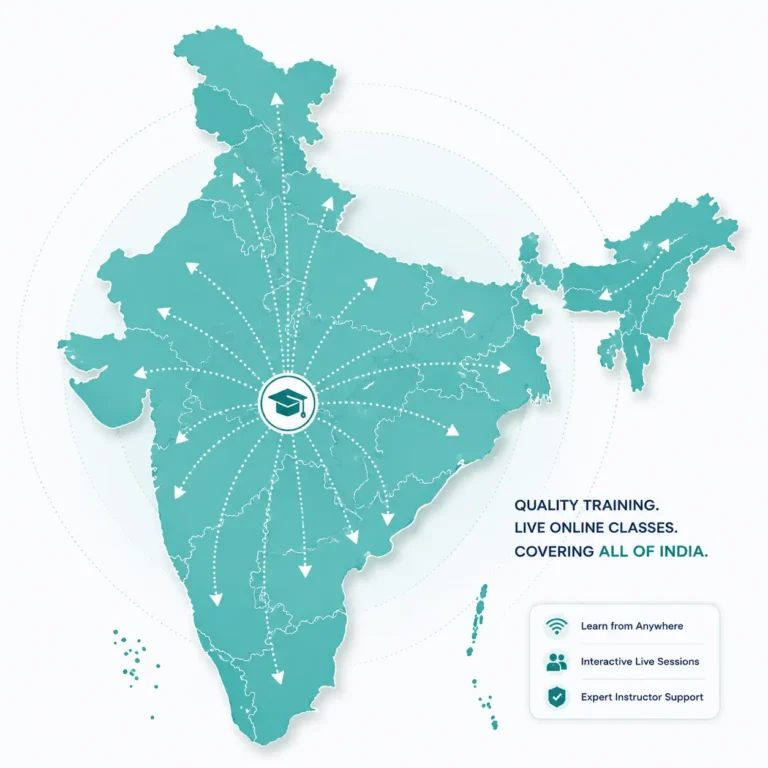
We Welcome Learners From Across India
South India
- Power BI for Project Management Training in Chennai
- Power BI for Project Management Training in Bangalore
- Power BI for Project Management Training in Hyderabad
- Power BI for Project Management Training in Cochin
- Power BI for Project Management Training in Trivandrum
- Power BI for Project Management Training in Coimbatore
- Power BI for Project Management Training in Madurai
Rest of Indian Cities
- Power BI for Project Management Training in Mumbai
- Power BI for Project Management Training in Delhi
- Power BI for Project Management Training in Kolkata
- Power BI for Project Management Training in Pune
- Power BI for Project Management Training in Ahmedabad
- Power BI for Project Management Training in Visakhapatnam
- Power BI for Project Management Training in Bhopal
EXPLORE MORE
Continue Your Learning Journey
Expand your professional knowledge through carefully recommended learning opportunities. These related courses are designed to strengthen your skills, broaden your expertise, and support your long-term career development.
Related Courses
Build strong project management fundamentals through learning.
Project Management Foundations
Build strong project management knowledge for career success.
Project Scope Management
Understand project scope planning, control effectively throughout delivery.
Project Planning & scheduling
Learn planning fundamentals before mastering Primavera P6 scheduling.
Project Resource Planning
Optimize resources for efficient project execution through planning.
Recommended Next Steps
Advance your expertise with software and professional certifications.
Primavera P6 Online Training
Master Primavera P6 for efficient planning and controlling.
Microsoft Project Online Training
Master Microsoft Project for efficient planning and collaboration.
PMP Certification Training
Prepare confidently for PMP certification with expert guidance.
PMI-SP Certification Training
Advance scheduling expertise through PMI-SP certification preparation training.
Build Your Learning Path
Learning doesn’t end with a single course. Explore related training programs to strengthen your expertise, broaden your capabilities, and continue your professional development at your own pace.
FAQs
Power BI for Project Management Training FAQs
Have questions about our Power BI for Project Management Training? Find answers to the most frequently asked questions about the course, eligibility, duration, practical learning, project dashboards, and career opportunities.
What is Power BI for Project Management Training?
Power BI for Project Management Training is a live instructor-led course designed to help project professionals create interactive dashboards, visualize project performance, automate project reporting, and analyze key project metrics using Microsoft Power BI. The training combines practical exercises, real-world project datasets, and hands-on learning to help participants develop job-ready reporting and dashboard development skills for project management and project controls.
Who should join this Power BI for Project Management Training?
This training is ideal for Planning Engineers, Project Controls Engineers, Project Managers, Project Coordinators, PMO professionals, Cost Engineers, Project Engineers, and anyone involved in project planning, monitoring, and reporting. It is also suitable for graduates and engineering students who want to develop practical project reporting skills using Microsoft Power BI.
Do I need any prior experience to learn Power BI?
No prior Power BI experience is required. Basic knowledge of Microsoft Excel and an understanding of project management concepts are sufficient to start learning. The course begins with Power BI fundamentals and gradually progresses to creating interactive dashboards and project reports using practical examples.
What will I learn during the Power BI for Project Management Training?
You will learn how to import project data, prepare and transform datasets, create interactive dashboards, build project KPIs, visualize project performance, monitor planned versus actual progress, and develop professional reports using Microsoft Power BI. The course focuses on practical project reporting rather than advanced business intelligence concepts.
Do I get hands-on practice during the training?
Yes. The training includes extensive hands-on practice using real-world project datasets and practical exercises. You will build dashboards, create project reports, analyze project performance, and complete practical assignments under the guidance of an experienced instructor.
How long is the Power BI for Project Management Training course?
The course consists of approximately 30 hours of live instructor-led online training. Classes are conducted on weekdays and weekends, allowing working professionals and students to learn at a comfortable pace while balancing their existing commitments.
Can freshers and final-year engineering students join this course?
Yes. Freshers and final-year engineering students can join this training to develop practical dashboard development and project reporting skills. Learning Power BI alongside project management concepts helps improve employability and prepares students for planning, project controls, PMO, and reporting roles.
What career opportunities are available after completing Power BI for Project Management Training?
Power BI is increasingly used across construction, infrastructure, engineering, manufacturing, energy, and IT industries for project reporting and analytics. After completing the training, your Power BI skills can add value to roles such as Planning Engineer, Project Controls Engineer, Project Coordinator, Project Manager, PMO Analyst, Reporting Engineer, and Project Performance Analyst.
Will I receive a certificate after completing the course?
Yes. Upon successfully completing the Power BI for Project Management Training, you will receive a Course Completion Certificate from Kleios Technologies, recognizing your participation and practical learning in project reporting and dashboard development using Microsoft Power BI.
How can I get information about upcoming batches and course fees?
You can contact Kleios Technologies through our website, phone, WhatsApp, or email to receive information about upcoming batch schedules, course fees, training duration, and enrollment procedures. Our team will be happy to assist you with the admission process.
Real Stories.
Real Impact.
We take pride in delivering practical
solutions that help professionals
and organizations achieve measurable results.
⭐⭐⭐⭐⭐ 4.9/5 Average Rating
- Trusted by Project Engineers
- Trusted by Planning Engineers
- Trusted by Project Managers
- Trusted by Graduates & Professionals
The Power BI for Project Management Training was exactly what I was looking for. The instructor explained every concept using practical project examples instead of complex technical terms. I especially enjoyed creating dashboards from Excel and Primavera P6 data. The hands-on exercises helped me understand project reporting much better. I now feel confident presenting project dashboards to my management team.
This training helped me move from manual Excel reports to interactive Power BI dashboards. The sessions were well-organized, easy to follow, and focused on real project reporting rather than unnecessary technical details. The instructor patiently answered every question and shared useful industry practices. I would highly recommend Kleios Technologies to project professionals who want practical Power BI skills.
I wanted to learn Power BI specifically for project reporting, and this course met my expectations perfectly. The practical examples, dashboard development exercises, and project datasets made learning enjoyable and relevant to my daily work. The trainer explained each topic clearly and ensured everyone understood before moving forward. It was a valuable learning experience for my career.
The training was highly interactive and focused on real business scenarios instead of generic Power BI examples. I learned how to build project dashboards, track project KPIs, and present performance reports professionally. The instructor was knowledgeable, approachable, and always willing to clarify doubts. I have already started applying these skills in my organization's project reporting process.